

Agent Performance
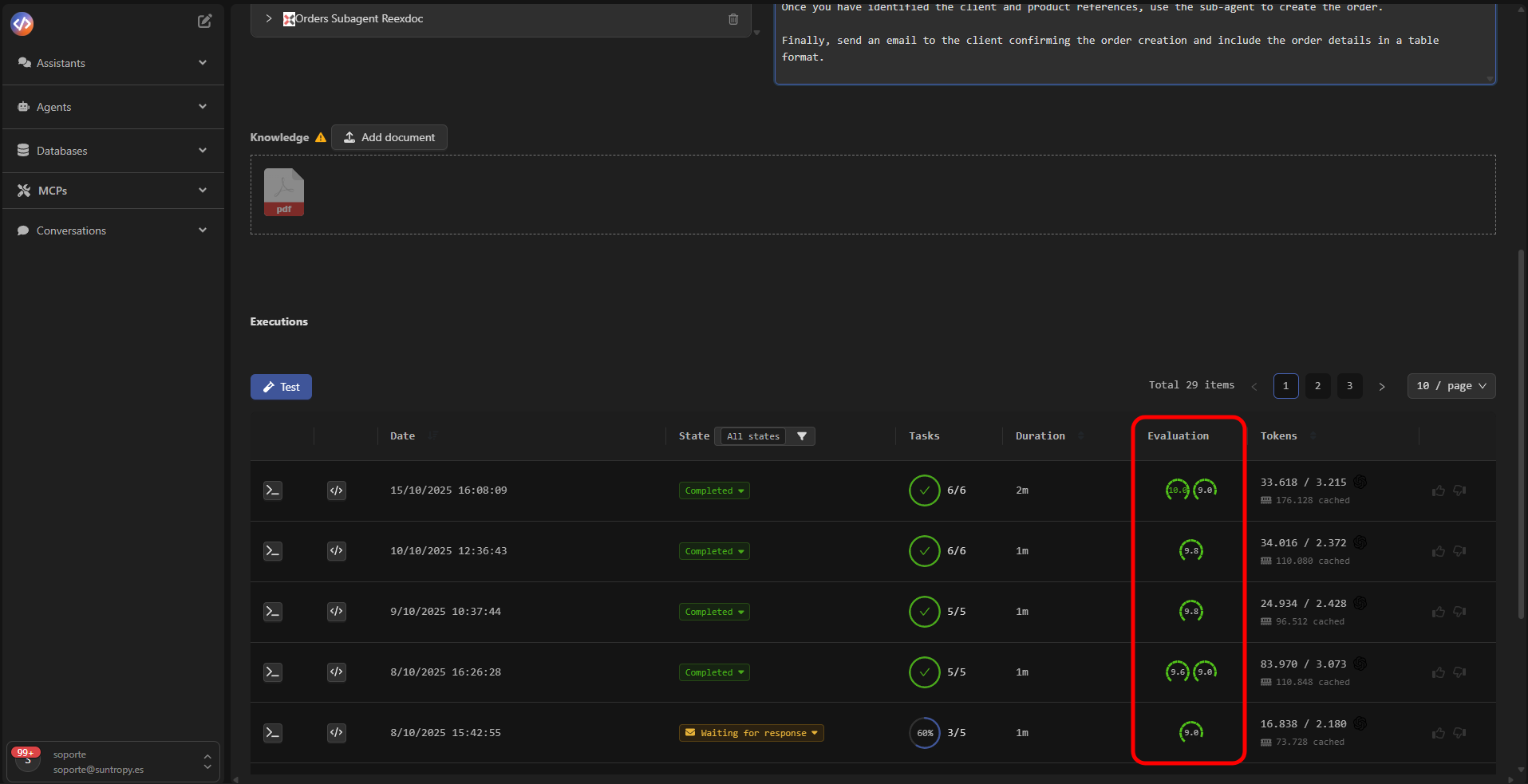
Devic includes an automatic performance evaluation system that analyzes agent behavior at the end of each execution.This module applies predefined metrics that allow you to objectively measure accuracy, planning, execution, and task completion.
Predefined Evaluations
The evaluations come preconfigured by default on the platform and include key indicators of agent performance:
Each metric is scored on a 0 to 10 scale, generating an Overall Score that summarizes the execution’s overall performance.
Custom Evaluations
In addition to predefined metrics, you can create your own custom evaluations to adapt them to your organization’s specific goals or criteria. These configurations are managed in the section: Other Options → Evaluation Configuration 👉 View custom evaluation configuration There you can define new criteria, adjust weights, or incorporate additional indicators according to your operational needs.LLM as Judge
Devic implements the LLM-as-Judge approach, where an additional language model acts as the evaluator of the agent’s performance.This model analyzes the generated results, interprets the coherence of actions, and issues a score based on defined criteria. Thanks to this system, evaluations are:
- Objective, as they come from an evaluator external to the executing agent.
- Consistent, applying the same analysis rules in every execution.
- Automated, eliminating the need for manual review.
- Explanatory, providing interpretative summaries that describe strengths and areas for improvement.
Result Interpretation
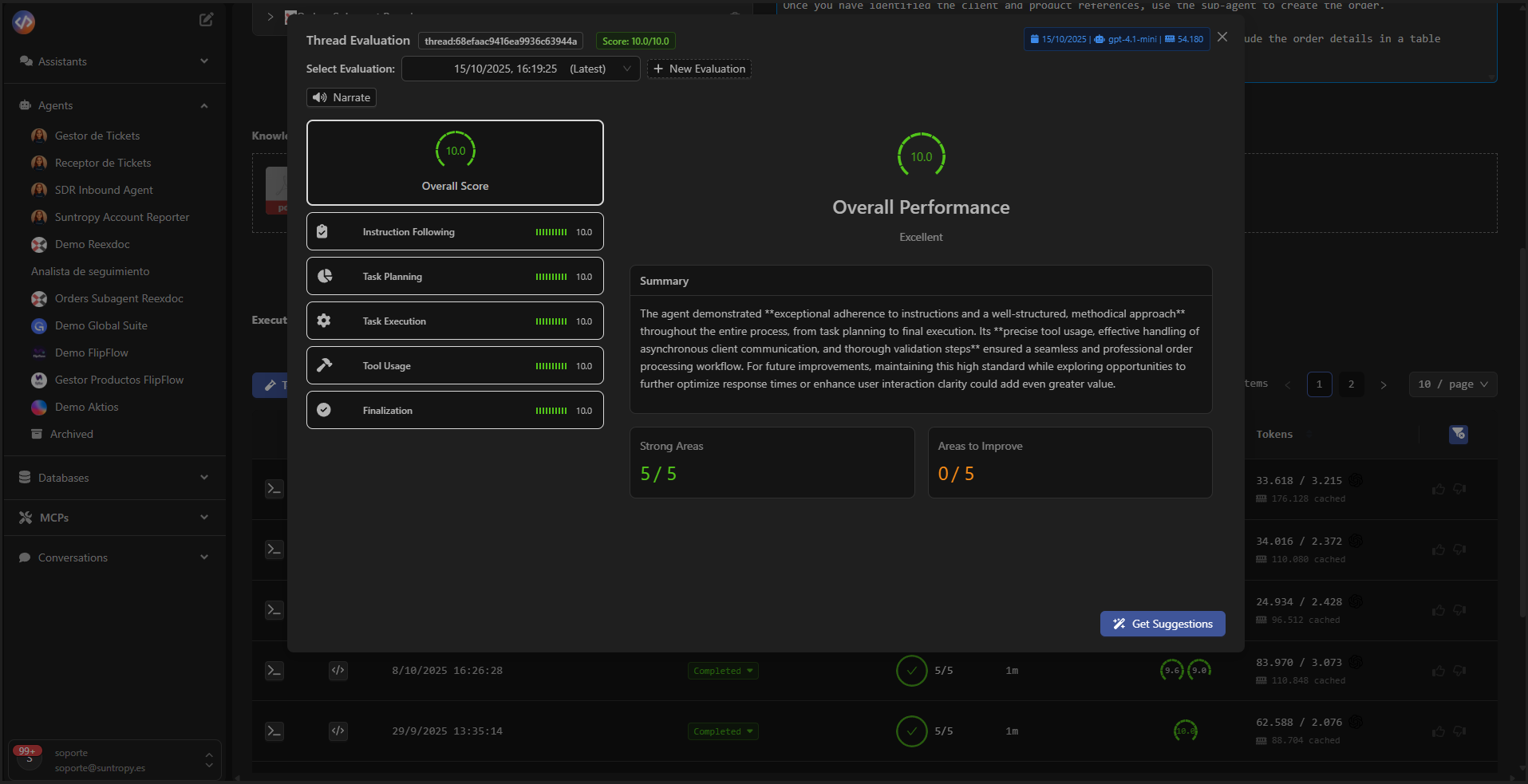
The evaluation panel displays a detailed summary that includes:- Overall Performance: general rating (for example, Excellent, Good, Needs Improvement).
- Summary: textual analysis generated by the evaluating model with observations on performance.
- Strong Areas: number of highlighted strengths.
- Areas to Improve: number of improvement points detected.
Devic’s automatic evaluation system combines the precision of quantitative analysis with the qualitative interpretation of a language model, providing a comprehensive view of agent performance.
Next Steps
Costs
Monitor token consumption, analyze execution costs, and optimize model and resource usage.