

When it detects that a message is off-topic with a confidence level above the configured threshold, the instruction is blocked before it reaches the model.
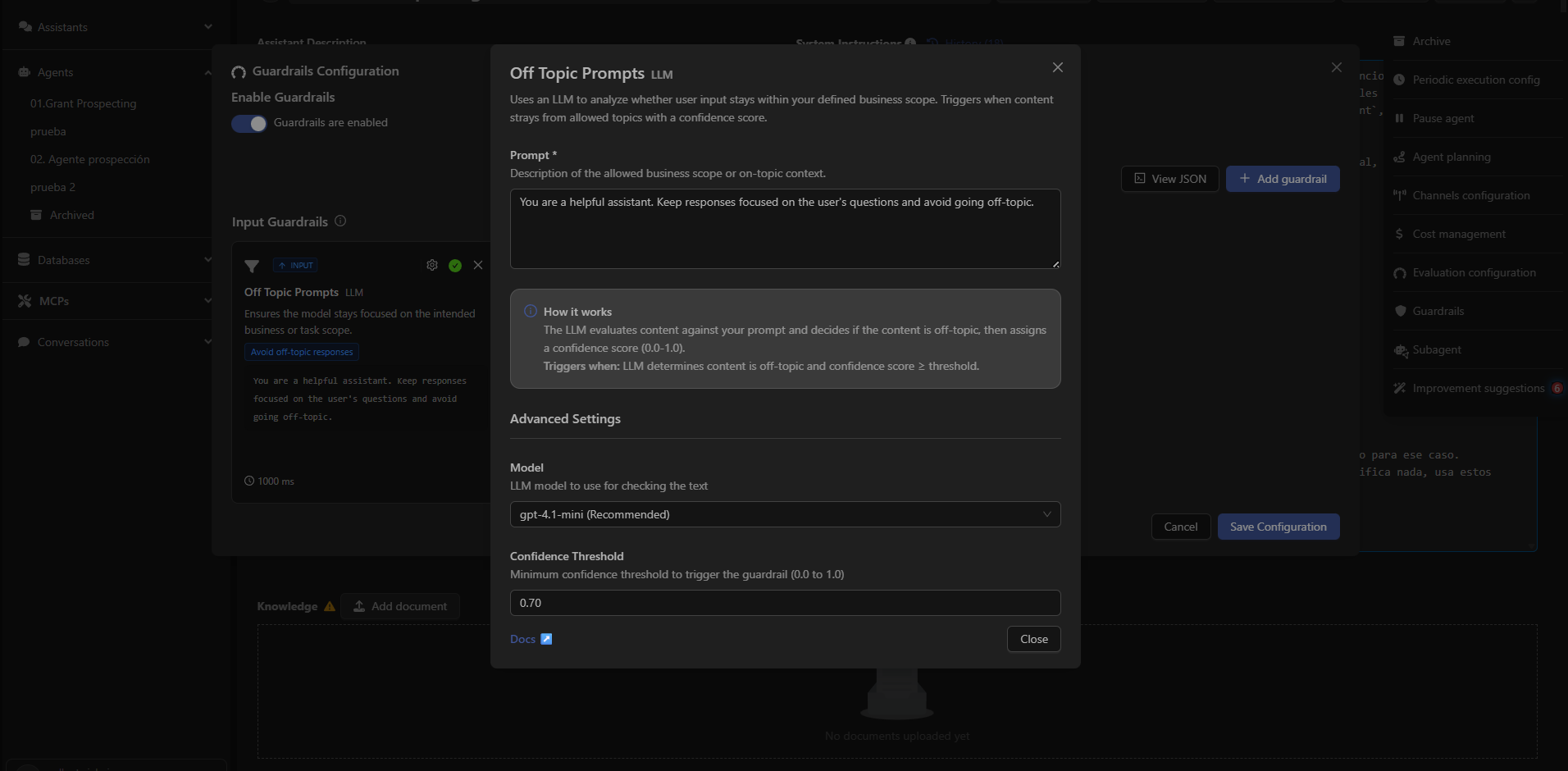
What Off Topic Prompts Detects
It evaluates whether the user’s message aligns with the thematic scope defined by the assistant’s administrator. Example use cases:- Keeping a support assistant within the technical domain.
- Preventing responses to topics unrelated to the business.
- Blocking instructions that steer the assistant toward personal or inappropriate conversations.
How It Works
The LLM compares the user message with the description of the allowed scope.The system assigns a confidence score (0.0 – 1.0).
The guardrail activates when:
- The content is considered out of context, and
- The confidence level ≥ configured threshold.
Configurable Parameters
Allowed Prompt
Text that defines the valid thematic scope for the assistant.Example: You are a helpful assistant. Keep responses focused on the user’s questions and avoid going off-topic.
Model
The LLM used to evaluate whether the content is off-topic.Confidence Threshold
Minimum threshold (0.0 – 1.0) required to activate the guardrail.Typical values:
0.70 – 0.85
Next: Custom Prompt Check
Learn how to define custom rules to validate or block user instructions.