

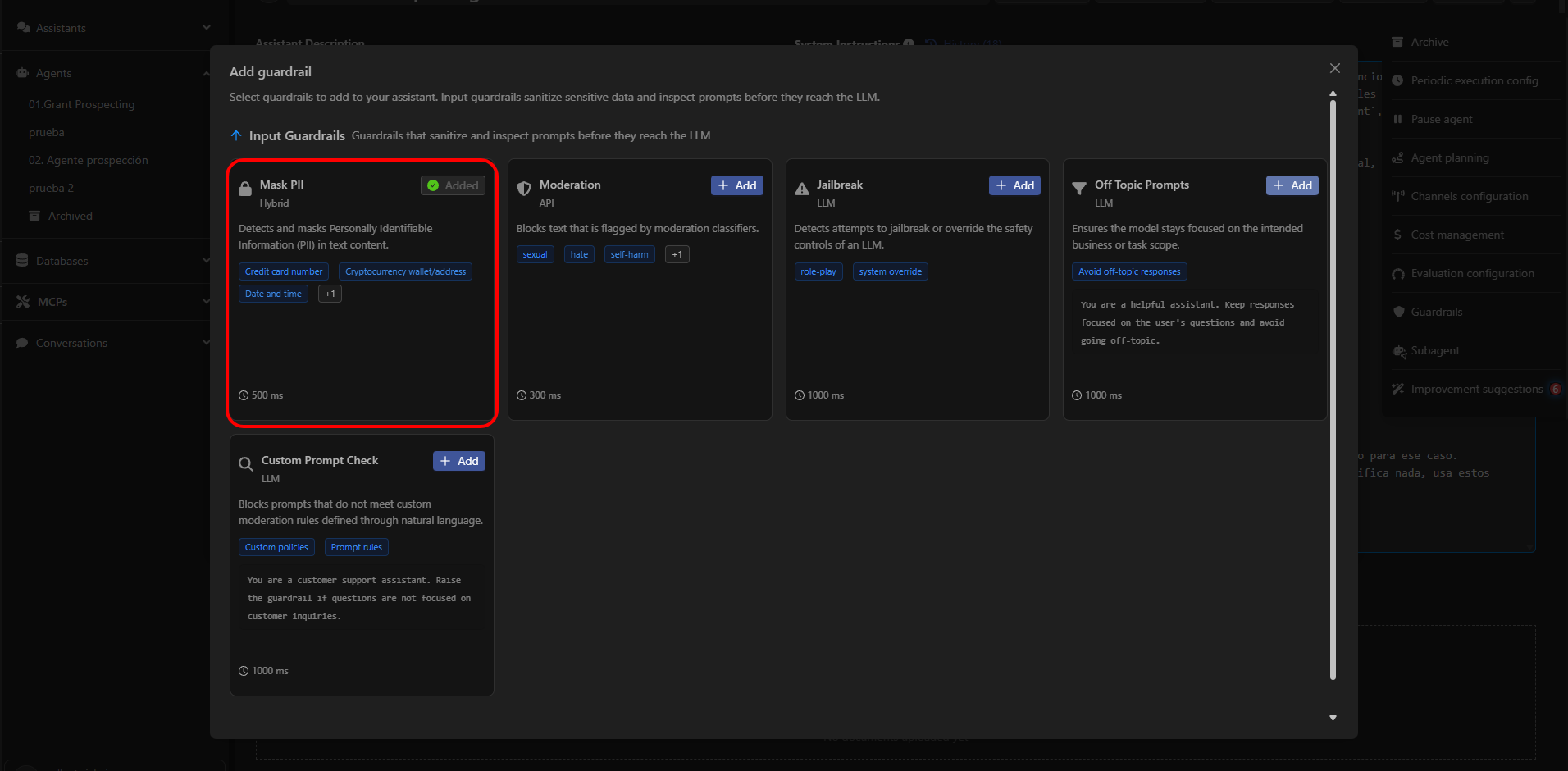
What Mask PII Detects
Mask PII analyzes user input and replaces any detected personally identifiable information with a generic placeholder.Examples:
- “Mi tarjeta es 4111 1111 1111 1111” → “My card is [CREDIT_CARD_NUMBER]”
- “Vivo en 123 Main St, NY” → “I live at [LOCATION]”
- “Mi email es john.doe@example.com” → “My email is [EMAIL_ADDRESS]”
Configurable PII Categories
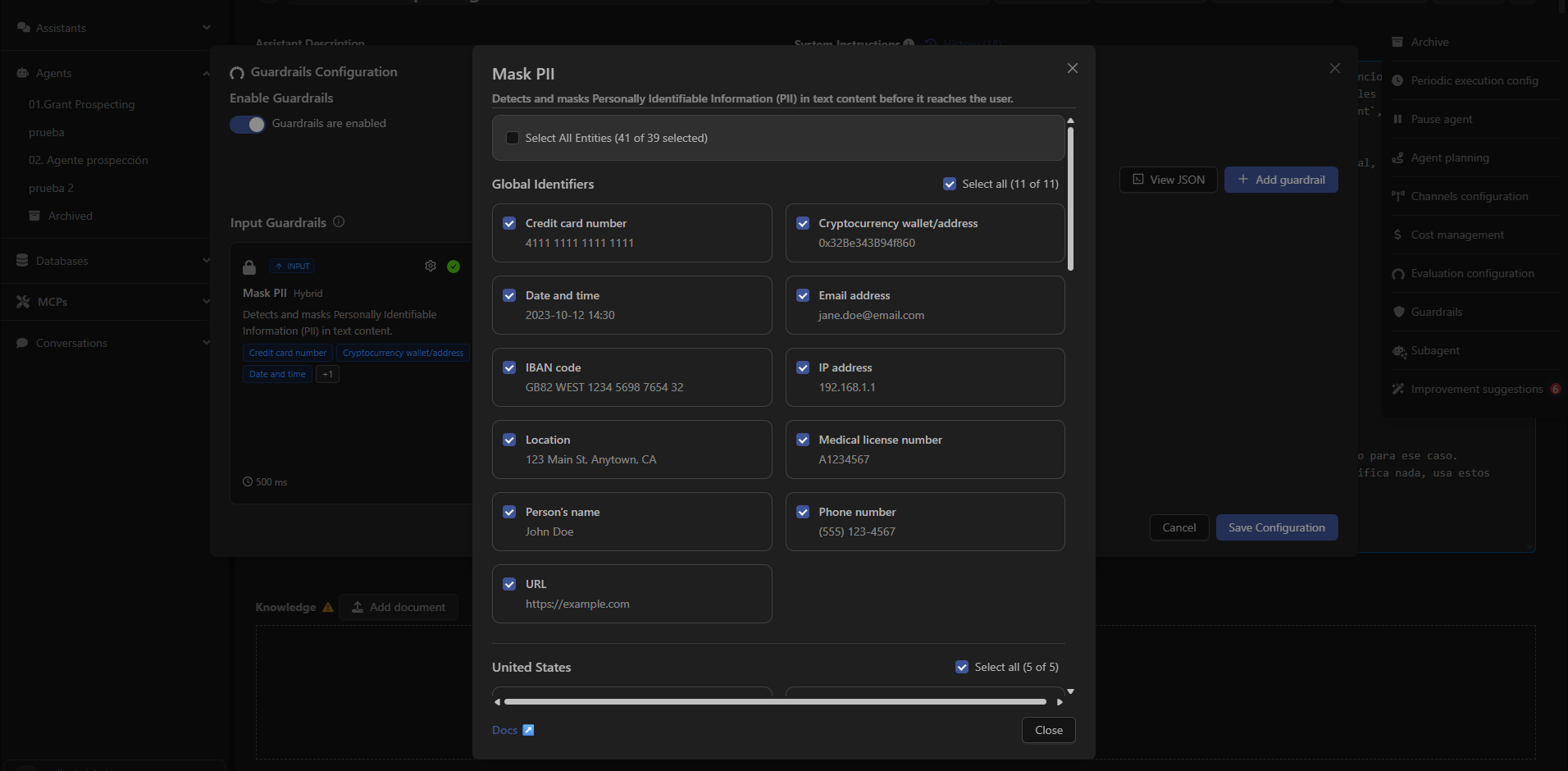
Devic allows enabling or disabling specific types of PII that will be masked in user inputs.Available types include:
Global Identifiers
- Credit card number
- Cryptocurrency wallet
- Date and time
- Email address
- IBAN
- IP address
- Location
- Medical license number
- Person name
- Phone number
- URL
United States
- Bank account number
- Driver’s license number
- ITIN
- Passport number
- Social Security Number
United Kingdom
- NHS number
- National Insurance Number
When to Use Mask PII
Mask PII is recommended for assistants that:- Process instructions that may contain personal data.
- Operate in regulated environments (GDPR, HIPAA, internal compliance).
- Interact with end users and must avoid storing or transmitting sensitive information.
- Execute automated workflows where data must remain anonymized.
How to Configure It
To enable Mask PII in an assistant:- Open the assistant from the sidebar.
- Click the options menu (⋮) in the top-right corner.
- Select Guardrails.
- Click Add guardrail.
- Choose Mask PII.
- Select the entities you want to mask.
- Save your configuration.
Next: Moderation
Learn how to block sensitive or inappropriate content using the Moderation guardrail.